API observability when AI agents are your heaviest callers
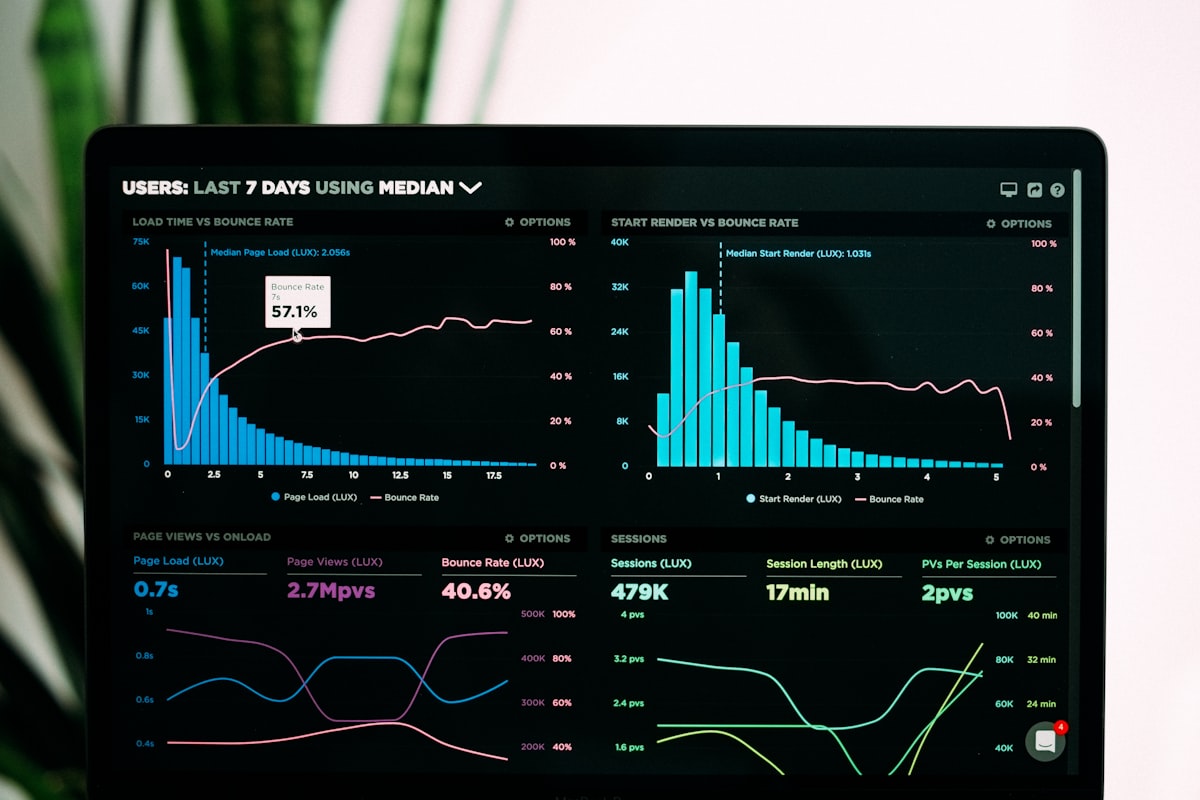
Your API dashboard shows a 4x traffic spike at 3 AM. No marketing campaign. No product launch. No Hacker News post. An AI agent discovered your endpoints through your MCP server and started running multi-step security audits; DNS lookups, SSL checks, header analysis, 15 endpoints in 2-second bursts, every 10 minutes.
This is normal now. Gartner projects that 30% or more of API demand growth will come from LLM-powered agents by 2026. A survey from Cisco found that 89% of organizations already monitor agent behavior in production. The traffic is here. The question is whether your observability stack can tell the difference between a human developer testing an endpoint and an agent running a 12-step workflow at 3 AM.
Traditional APM tools aggregate metrics per endpoint. They show you that /v1/dns/lookup got 500
requests in the last hour, but they won't tell you that 480 of those came from 40 agent runs, each calling
DNS lookup, SSL check, and header analysis in a predictable sequence. That blind spot costs you; you can't
set appropriate rate limits, you can't debug agent failures, and you can't forecast infrastructure costs.
Five patterns fix this. Each one addresses a specific gap between what standard APM provides and what you need when agents are your heaviest callers.
Why traditional APM misses agent traffic
A human developer calls one endpoint, reads the response, maybe calls another a few minutes later. An AI agent calls 5 to 15 endpoints in rapid succession, parses every response programmatically, retries on failure, and moves to the next workflow. These two traffic shapes look identical at the per-endpoint level but behave differently in every way that matters for operations.
| Dimension | Human traffic | Agent traffic |
|---|---|---|
| Request cadence | 1-3 requests per minute, long pauses | 5-15 requests in 2 seconds, then idle |
| Endpoint diversity | 1-2 endpoints per session | 5-12 endpoints per workflow |
| Retry behavior | Manual retry after reading error | Immediate retry, exponential backoff if coded |
| Time of day | Business hours, timezone-aligned | 24/7, often cron-triggered at odd hours |
| Error handling | Reads error message, adjusts request | Retries same request or skips to next tool |
| Session duration | Minutes to hours | 2-30 seconds per workflow |
Datadog, New Relic, and Grafana show you per-endpoint latency percentiles and error rates. They don't show you "agent run #a3f7 called 8 tools in sequence, failed on tool 6, retried 4 times, and burned through 35 API calls to complete a task that should take 8." You need purpose-built tracing for that.
Platforms like Langfuse, Arize Phoenix, Braintrust, and Helicone specialize in agent observability. They track tool-use chains, token consumption, and agent decision paths. OpenTelemetry (OTEL) is converging as the standard telemetry format that connects these platforms to your existing infrastructure.
Pattern 1: detect agent callers
Before you can observe agent traffic, you need to identify it. Three signals work together: User-Agent strings, request cadence, and explicit headers.
User-Agent matching
Agent frameworks set identifiable User-Agent strings. LangChain, CrewAI, AutoGen, and the Anthropic SDK
all include framework names in their default headers. SDK-generated requests from libraries like
axios, node-fetch, and python-requests also signal non-browser
traffic.
Request cadence detection
Humans don't call 4 different endpoints within 5 seconds. A server-side cadence detector flags clients that hit multiple unique endpoints in a short window:
// Server-side: detect bursty agent patterns by IP + time window

interface RequestLog {
  timestamp: number;
  endpoint: string;
}

const recentRequests = new Map<string, RequestLog[]>();

function detectBurstPattern(
  clientId: string,
  endpoint: string
): boolean {
  const now = Date.now();
  const window = 5_000; // 5-second window

  if (!recentRequests.has(clientId)) {
    recentRequests.set(clientId, []);
  }

  const logs = recentRequests.get(clientId)!;

  // Prune old entries
  const recent = logs.filter((l) => now - l.timestamp < window);
  recent.push({ timestamp: now, endpoint });
  recentRequests.set(clientId, recent);

  // Agent signal: 4+ different endpoints in 5 seconds
  const uniqueEndpoints = new Set(recent.map((l) => l.endpoint));
  return uniqueEndpoints.size >= 4;
}
Full detection middleware
Combine both signals into a middleware that tags every request as agent or human. This tag flows into your logging, metrics, and rate limiting layers:
import type { Context, Next } from "hono";

interface AgentSignals {
  isAgent: boolean;
  confidence: "high" | "medium" | "low";
  reason: string;
}

const AGENT_UA_PATTERNS = [
  /langchain/i,
  /crewai/i,
  /autogen/i,
  /openai-agents/i,
  /anthropic-sdk/i,
  /botoi-sdk/i,
  /python-requests/i,
  /axios/i,
  /node-fetch/i,
];

export function detectAgent(c: Context): AgentSignals {
  const ua = c.req.header("user-agent") || "";
  const sessionId = c.req.header("x-agent-run-id");
  const hasAgentUA = AGENT_UA_PATTERNS.some((p) => p.test(ua));

  // High confidence: explicit agent header
  if (sessionId) {
    return {
      isAgent: true,
      confidence: "high",
      reason: "x-agent-run-id header present",
    };
  }

  // Medium confidence: known agent framework UA
  if (hasAgentUA) {
    return {
      isAgent: true,
      confidence: "medium",
      reason: "User-Agent matches agent framework: " + ua,
    };
  }

  // Low confidence: check request cadence (handled upstream)
  return {
    isAgent: false,
    confidence: "low",
    reason: "no agent signals detected",
  };
}

export async function agentTagMiddleware(c: Context, next: Next) {
  const signals = detectAgent(c);

  // Tag the request for downstream logging and metrics
  c.set("isAgent", signals.isAgent);
  c.set("agentConfidence", signals.confidence);
  c.set("agentReason", signals.reason);

  // Add to response headers for client debugging
  c.header("X-Agent-Detected", String(signals.isAgent));

  await next();
}
The X-Agent-Detected response header lets agent developers confirm their requests are
being classified correctly. The confidence levels feed into your alerting rules; a "high" confidence
detection (explicit header) is definitive, while "medium" (UA match) might need cadence confirmation.
Pattern 2: trace multi-tool chains with OpenTelemetry
An agent calling botoi's MCP server to audit a domain will hit /v1/dns/lookup, then
/v1/ssl-cert/certificate, then /v1/headers within seconds. In standard
APM, these are three separate, unrelated requests. With a shared X-Agent-Run-ID header
and OpenTelemetry spans, they become one traceable workflow.
import { trace, SpanKind, context } from "@opentelemetry/api";

const tracer = trace.getTracer("api-gateway");

export async function handleAgentRequest(
  agentRunId: string,
  endpoint: string,
  handler: () => Promise<Response>
) {
  // Create or continue a parent span for this agent run
  const parentSpan = tracer.startSpan("agent.workflow", {
    kind: SpanKind.SERVER,
    attributes: {
      "agent.run_id": agentRunId,
      "agent.tool_count": 0,
    },
  });

  const ctx = trace.setSpan(context.active(), parentSpan);

  return context.with(ctx, async () => {
    // Each endpoint call becomes a child span
    const childSpan = tracer.startSpan(
      "agent.tool_call",
      {
        kind: SpanKind.INTERNAL,
        attributes: {
          "agent.run_id": agentRunId,
          "api.endpoint": endpoint,
          "agent.tool_index":
            Number(parentSpan.attributes?.["agent.tool_count"] || 0) + 1,
        },
      },
      ctx
    );

    try {
      const response = await handler();
      childSpan.setAttribute("http.status_code", response.status);
      return response;
    } catch (err) {
      childSpan.recordException(err as Error);
      throw err;
    } finally {
      childSpan.end();
    }
  });
}
Each agent workflow gets a parent span. Each tool call becomes a child span nested under it. In Jaeger, Grafana Tempo, or any OTEL-compatible backend, you see the full chain: DNS lookup took 45ms, SSL check took 120ms, headers took 30ms, total workflow time 210ms. When tool 6 of 8 fails and the agent retries it 4 times, you see it in the trace instead of hunting through separate endpoint logs.
The agent.tool_index attribute on each span lets you reconstruct the exact order of
operations. This matters when debugging: "why did the agent call SSL check before DNS lookup?"
becomes a glanceable trace instead of a log correlation exercise.
Pattern 3: rate limit for bursty workloads
Fixed-window rate limiting punishes agents. An agent sends 15 requests in 2 seconds to complete a workflow, then goes silent for 58 seconds. A fixed window of "60 requests per minute" has plenty of room, but a fixed window of "5 requests per 5 seconds" blocks the agent on request 6, even though the sustained rate is well under the limit.
Token bucket solves this. The bucket capacity controls burst size (how many requests an agent can fire in a burst), and the refill rate controls sustained throughput (how fast the bucket recovers). Two parameters that map to how agents work.
class TokenBucket {
  private tokens: number;
  private lastRefill: number;

  constructor(
    private capacity: number,
    private refillRate: number // tokens per second
  ) {
    this.tokens = capacity;
    this.lastRefill = Date.now();
  }

  tryConsume(count: number = 1): boolean {
    this.refill();

    if (this.tokens >= count) {
      this.tokens -= count;
      return true;
    }

    return false;
  }

  private refill() {
    const now = Date.now();
    const elapsed = (now - this.lastRefill) / 1000;
    this.tokens = Math.min(
      this.capacity,
      this.tokens + elapsed * this.refillRate
    );
    this.lastRefill = now;
  }

  get remaining(): number {
    this.refill();
    return Math.floor(this.tokens);
  }
}

// Human users: small bucket, steady refill
const humanLimiter = new TokenBucket(5, 0.5); // 5 burst, 0.5/sec

// Agent callers: large burst bucket, same sustained rate
const agentLimiter = new TokenBucket(20, 2); // 20 burst, 2/sec

function getRateLimiter(isAgent: boolean): TokenBucket {
  return isAgent ? agentLimiter : humanLimiter;
}
The key insight: agents need a higher burst capacity and a comparable sustained rate. A human user with a 5-token bucket and 0.5 tokens/second refill rate can make 5 quick requests and then one every 2 seconds. An agent with a 20-token bucket and 2 tokens/second refill can fire a 15-endpoint workflow in one burst and have the bucket refilled for the next run 10 seconds later.
This is how botoi's API handles mixed traffic. Anonymous requests (no API key) get a 5 req/min burst with a 100 req/day cap, tracked by IP. Authenticated requests on paid plans use Unkey's token bucket at the edge with higher burst and sustained limits per tier.
Pattern 4: log tool-use context with correlation headers
A request to /v1/dns/lookup in isolation tells you nothing about intent. The same request as
step 1 of an 8-step security audit tells you everything. Correlation headers bridge this gap.
Two headers carry all the context you need:
X-Agent-Run-ID: a UUID that groups all requests in a single workflowX-Agent-Tool-Index: the position of this call in the tool chain (1, 2, 3...)
On the client side, the agent attaches both headers to every request in a workflow:
// Client side: attach a run ID to every request in a workflow
const agentRunId = crypto.randomUUID();

async function agentWorkflow(domain: string) {
  const headers = {
    "Content-Type": "application/json",
    "X-API-Key": process.env.BOTOI_API_KEY,
    "X-Agent-Run-ID": agentRunId,
    "X-Agent-Tool-Index": "0",
  };

  // Step 1: DNS lookup
  headers["X-Agent-Tool-Index"] = "1";
  const dns = await fetch("https://api.botoi.com/v1/dns/lookup", {
    method: "POST",
    headers,
    body: JSON.stringify({ domain, type: "A" }),
  });

  // Step 2: SSL certificate check
  headers["X-Agent-Tool-Index"] = "2";
  const ssl = await fetch("https://api.botoi.com/v1/ssl-cert/certificate", {
    method: "POST",
    headers,
    body: JSON.stringify({ domain }),
  });

  // Step 3: HTTP headers analysis
  headers["X-Agent-Tool-Index"] = "3";
  const hdrs = await fetch("https://api.botoi.com/v1/headers", {
    method: "POST",
    headers,
    body: JSON.stringify({ url: "https://" + domain }),
  });

  return {
    dns: await dns.json(),
    ssl: await ssl.json(),
    headers: await hdrs.json(),
  };
}
On the server side, you log both headers with every request. Reconstructing what an agent did becomes
a single query: "show me all requests with X-Agent-Run-ID = abc-123 ordered by
X-Agent-Tool-Index." No timestamp correlation, no IP matching, no guesswork.
If your agents use botoi's MCP server, the MCP protocol already groups tool calls into sessions. The
MCP server at api.botoi.com/mcp forwards the API key via headers, and you can extend
it to pass a run ID that persists across all 49 available tools.
Pattern 5: alert on agent-specific anomalies
Standard alerts fire on HTTP error rates and latency percentiles. Agent-specific alerts fire on behavioral patterns that indicate something is wrong with the agent itself, not your API.
Three alert types catch the most common agent failures:
- Unexpected tool order: an agent called SSL check before DNS lookup, suggesting a logic bug in the agent's planning step
- Retry loop detected: the same endpoint got hit 5 or more times in 10 seconds from one agent run, indicating the agent isn't reading error responses
- Cost spike: an agent run exceeded 50 API calls, meaning a loop or hallucination is driving runaway consumption
// Pseudo-code for agent-specific alert rules

const alertRules = [
  {
    name: "unexpected-tool-order",
    description: "Agent called endpoints in an unusual sequence",
    condition: (trace) => {
      const tools = trace.spans.map((s) => s.attributes["api.endpoint"]);
      // Flag if ssl/check happens before dns/lookup
      const dnsIndex = tools.indexOf("/v1/dns/lookup");
      const sslIndex = tools.indexOf("/v1/ssl-cert/certificate");
      return sslIndex !== -1 && (dnsIndex === -1 || sslIndex < dnsIndex);
    },
    severity: "warning",
  },
  {
    name: "retry-loop-detected",
    description: "Agent retried the same endpoint 5+ times in 10 seconds",
    condition: (trace) => {
      const endpointCounts = {};
      for (const span of trace.spans) {
        const ep = span.attributes["api.endpoint"];
        endpointCounts[ep] = (endpointCounts[ep] || 0) + 1;
      }
      const duration =
        trace.spans.at(-1).endTime - trace.spans[0].startTime;
      return (
        Object.values(endpointCounts).some((c) => c >= 5) &&
        duration < 10_000
      );
    },
    severity: "critical",
  },
  {
    name: "cost-spike",
    description: "Agent run exceeded 50 API calls",
    condition: (trace) => trace.spans.length > 50,
    severity: "warning",
  },
];
The retry-loop alert is the highest-value signal. An agent that gets a 400 error (bad input) and retries the same request 20 times burns through rate limits and produces no useful output. Catching this in seconds instead of minutes saves both your infrastructure budget and the agent operator's API quota.
Putting it together: an observability stack for mixed traffic
Here is the stack that covers all five patterns:
| Layer | Tool | What it provides |
|---|---|---|
| Agent detection | Custom middleware (Pattern 1) | Tags every request as agent or human |
| Distributed tracing | OpenTelemetry + Jaeger or Grafana Tempo | Links multi-tool chains into single traces |
| Rate limiting | Token bucket (Pattern 3) | Burst-friendly limits per caller type |
| Agent telemetry | Langfuse, Arize Phoenix, or Helicone | Token usage, tool chains, agent decision paths |
| Alerting | Custom rules on trace data (Pattern 5) | Catches retry loops, unexpected sequences, cost spikes |
If you already run Datadog or Grafana for your API, you don't need to replace them. Add the OTEL instrumentation layer on top, pipe agent-tagged traces to a dedicated dashboard, and build alert rules on the agent-specific attributes. The existing per-endpoint metrics stay useful for infrastructure monitoring. The new agent-aware traces answer the questions your on-call engineer asks at 3 AM: "what is this agent doing, why is it retrying, and should I block it?"
Key takeaways
- Detect first, observe second. Tag every request as agent or human using User-Agent patterns, cadence detection, and explicit headers. Everything downstream depends on this classification.
- Trace workflows, not endpoints. An agent's unit of work is a multi-tool chain, not a single API call. OpenTelemetry parent/child spans make agent workflows first-class objects in your tracing backend.
- Token bucket over fixed window. Agents burst. Token bucket accommodates bursts while enforcing sustained limits. Match bucket capacity to your longest expected tool chain.
- Correlation headers are cheap and powerful.
X-Agent-Run-IDandX-Agent-Tool-Indexturn opaque request logs into readable agent workflows with a single database query. - Alert on behavior, not volume. Retry loops, unexpected tool ordering, and runaway call counts catch real problems before they become incidents.
Botoi's API handles both human and agent traffic across 150+ endpoints and a 49-tool MCP server.
Every response includes X-RateLimit headers. If you're building an agent that calls
external APIs, pass an X-Agent-Run-ID header, respect the rate limit headers, and
give your API provider the signals they need to keep your agent running smoothly. Try the
interactive API docs
or connect your AI assistant via the
MCP server to see
these patterns in practice.
Frequently asked questions
- How can I tell if an AI agent is calling my API?
- Look for three signals: User-Agent strings containing agent framework names (langchain, crewai, autogen), bursty request patterns where 5 to 15 endpoints are called in rapid sequence with sub-second gaps, and correlation headers like X-Session-ID or X-Agent-Run-ID. You can also check for tool-use sequences where lookups for DNS, SSL, and headers happen in a predictable order within seconds.
- Why does traditional APM miss AI agent traffic?
- Traditional APM tools aggregate metrics per endpoint. Agent traffic patterns span multiple endpoints in a single logical operation. A security audit agent calling DNS lookup, then SSL check, then header analysis in 2 seconds looks like three unrelated requests in Datadog or New Relic. You need distributed tracing with a shared correlation ID to link those calls into one agent workflow.
- What is the best rate limiting algorithm for AI agent traffic?
- Token bucket works best for agent workloads. Agents send bursts of 5 to 15 requests in seconds, then go idle. Token bucket allows controlled bursts up to a capacity limit while enforcing a sustained refill rate. Fixed window rate limiting breaks because an agent can exhaust the full window limit in 2 seconds and then sit idle for 58 seconds.
- How do I trace a multi-step AI agent workflow across API calls?
- Have the agent send an X-Agent-Run-ID header with every request in a workflow. On the server side, create an OpenTelemetry parent span for each unique run ID and nest individual endpoint spans under it. This gives you a single trace view showing DNS lookup took 45ms, SSL check took 120ms, and headers took 30ms, all under one agent workflow.
- Should I set different rate limits for AI agents versus human users?
- Yes. Human users make 1 to 3 requests per minute with long pauses between them. Agents make 5 to 15 requests in a 2-second burst, then nothing for minutes. A per-minute fixed window punishes agents unfairly. Use token bucket with a higher burst capacity (e.g., 20 requests) and a lower sustained rate (e.g., 5 tokens per second) so agents can complete workflows without hitting 429 errors.
Try this API
HTTP Headers Inspector API — interactive playground and code examples
More guide posts
Start building with botoi
150+ API endpoints for lookup, text processing, image generation, and developer utilities. Free tier, no credit card.